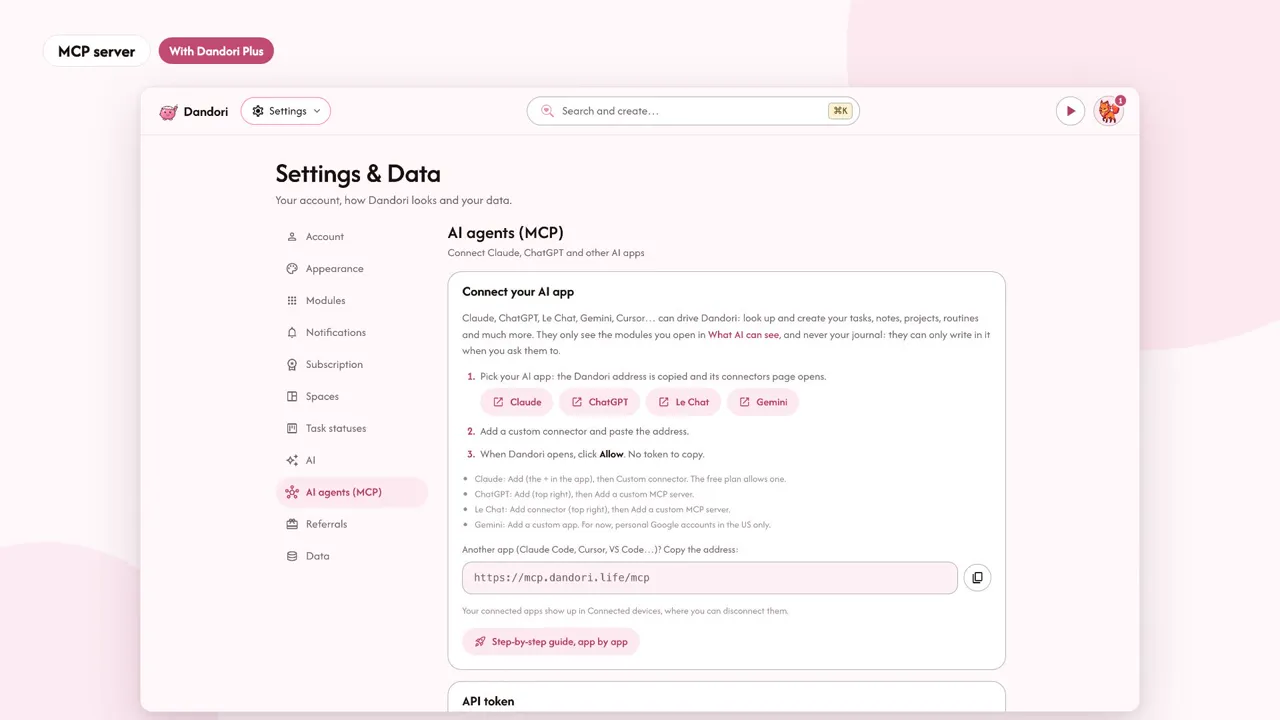
Connect Dandori to Claude, ChatGPT or any MCP-compatible agent to run your tasks and notes from your AI. It only sees the modules you open to it, never your journal.
With PlusAI in Dandori
Your AI, your way.
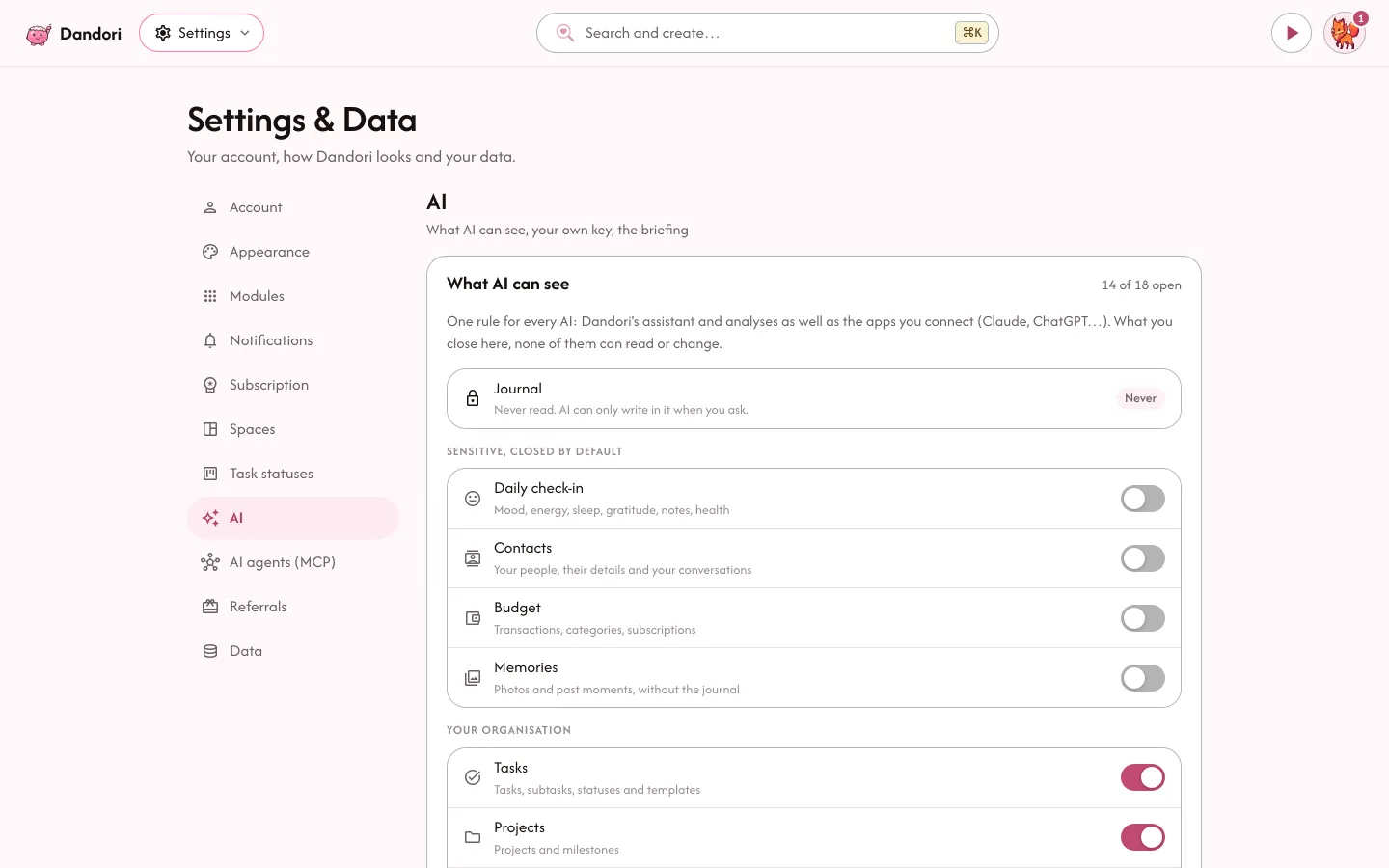
Two ways to use it, both optional: from your AI app, connected over MCP, or inside Dandori, with your own key. Either way, you choose what it can see.
Your AI, your assistant
With PlusDandori, right inside your AI.
Plug Dandori into Claude, ChatGPT or Le Chat and talk to it like an assistant: it creates your tasks, plans your week, writes in your journal. It only sees what you open to it.
Add “call the plumber” tomorrow at 9am, in my Home project. Done: “Call the plumber”, tomorrow at 9am, filed under Home.
Connected in three steps
Go Plus
Connected AI apps are part of Plus.
Copy the address
The only thing your AI needs.
mcp.dandori.life/mcpPaste it into your app
Add it as a connector and allow access: you're set, no key or password to copy.
Works with
- Claude
- ChatGPT
- Le Chat
- Claude Code
- Cursor
- VS Code
You stay in control. It only sees the modules you open to it. Never your journal: it can write in it when you ask, not read it.
Optional
AI? Only if you choose it.
By default, AI is asleep. Dandori works great without it, and none of your data is sent to an AI.
- Your own keyAnthropic, OpenAI, Mistral or Gemini.
- You decide what it seesModule by module, any time.
- Your journal stays privateIt can write to it when you ask, never read it.
What it does, on video
Open a card to see it in action, with its explanation.
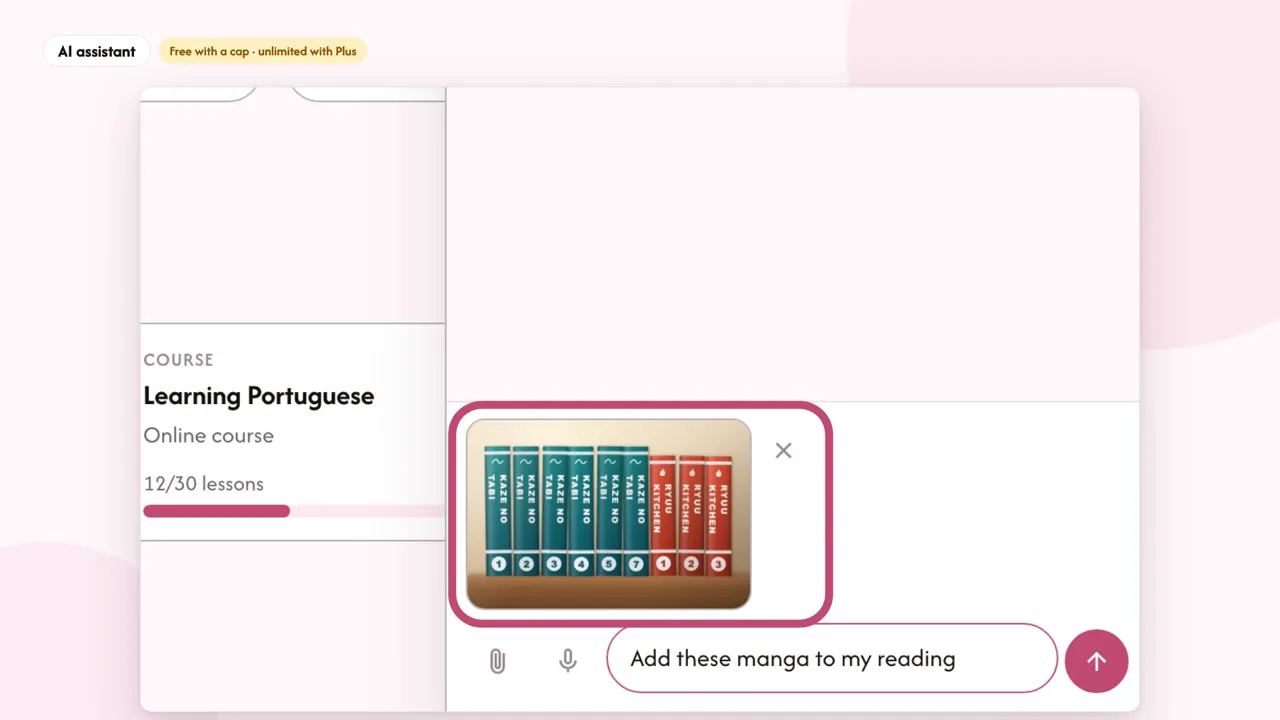
An assistant that creates your tasks, sums up your week and answers your questions, with your AI provider's key. Send it a photo: your books and manga join your reading, volume by volume, and your plate becomes a logged meal with its calories (Health, with Plus).
FreeFrequently asked questions
How do you use AI?
AI is optional: with your own key (Anthropic, OpenAI, Mistral or Gemini), or from your AI app (Claude, ChatGPT…) connected to Dandori. It powers the morning briefing, the insights into your week and the assistant that acts for you. You choose, module by module, what it can see; the check-in, the Health module, contacts, budget and memories start closed. Your journal, never: it can write in it when you ask, not read it.
Is my data mine?
Yes. Hosted in Europe (Hetzner, in Finland), with no ads and no selling of data. Full JSON export at any time, and permanent account deletion whenever you like, from Settings.